Cowboy's Choice Feeds Identity Guidelines
These guidelines and assets are provided for retailers, partners and press who promote Cowboy's Choice Feeds. Please use the files as supplied: don't alter, recolor or redraw the logos, and don't use them in a way that suggests endorsement without our written approval.
Last updated: 2026-11-09
Questions about using our brand assets? Contact us at robert@cowboyschoicefeeds.com.
Logos
Use the full-color logo on light backgrounds and the one-color version on dark or busy backgrounds. Keep clear space around the logo and never stretch, rotate or recolor it.

Logos in vector format
AI and SVG Files
Download the vector files for the Cowboy’s Choice feed logo and get maximum scalability. These formats stay perfectly sharp at any size—from small labels and social posts to large signage and packaging.
Download
Logos in raster format
PNG Files
Download the raster files for the Cowboy’s Choice feed logo for quick, ready-to-use graphics at 100% size. These formats aren’t scalable, but they’re ideal for straightforward placement in everyday layouts without extra prep.
Download
Logos in both raster and vector files
PNG, AI and SVG Files
Download both the vector and raster files for the Cowboy’s Choice feed logo so you have the right option for every use. Get maximum scalability from the vectors and quick, ready-to-use graphics at 100% from the rasters.
DownloadImage Use
Minimum clear space is equal to one-quarter the height of the badge. Don’t place photos, typography, or other graphic elements inside the minimum clear space.
Minimum badge height is 10 mm for use in printed materials and 40 px for use onscreen. Select a size that is clearly legible but not dominant in the layout.
When the badge is placed on advertising with very limited layout space, such as banners for mobile devices, select a badge size that is clearly legible on the target mobile devices. Minimum clear space for very limited layout space is equal to one-tenth the height of the badge.

Logo Placement
When placing the Cowboy’s Choice Feeds logo over photography, keep it secondary to the subject and fully legible. Position the approved lockup in a clear, low-detail area with enough contrast and breathing room so the oval and wordmark read cleanly, and keep size and placement consistent across assets. Do not cover the horse, rider, face, or key action; do not set the logo over busy dust, fences, or high-contrast texture where it disappears; and do not resize, recolor, stretch, or restyle the mark.


Product Images
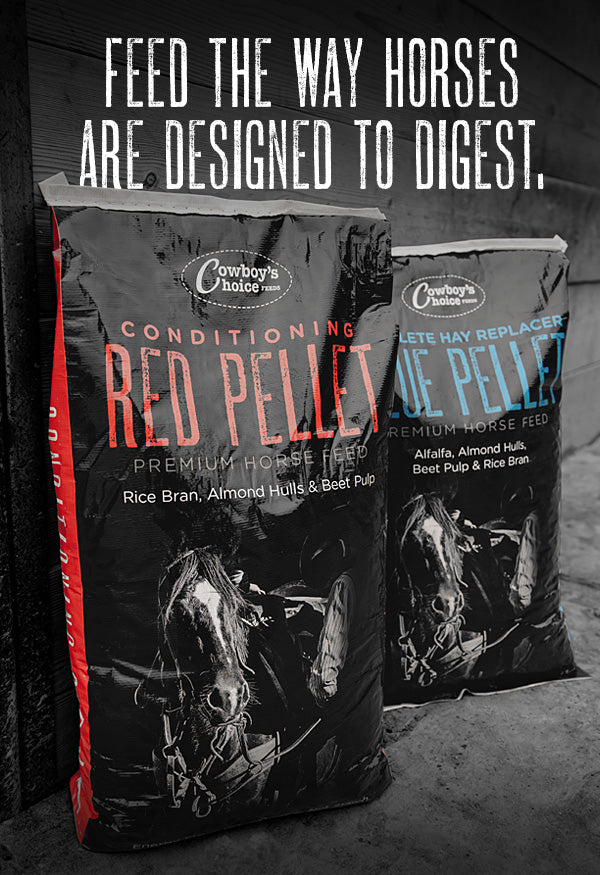
Product images should make Cowboy’s Choice Feeds packaging the clear hero. Show bags and pellets as supplied—true to color, shape, and labeling—so the product is immediately recognizable in catalogs, on websites, and in advertising. Shots should feel clean and real, not overly styled or staged. Do not add text, effects, props that compete with the bag, or other brands’ products in the frame.
Only the product images provided on this site may be used. No other product images may be used without express written approval.
Composition
- Keep the frame uncluttered so the bag face, product name, and logo stay fully legible. Leave room for a headline, body copy, or logo lockup when the image will run in an ad.
- Use rich, accurate color. Do not mute the shot or convert it to black and white.
- Avoid extreme close-ups that crop the logo, product name, or key label information, and do not place type or graphics inside the logo’s minimum clear space.
Downloads
Use these approved product images in catalogs, websites and advertising. Show packaging as supplied, without added text, effects or other brands' products in the frame.